Matter Protocol Keyboards: Cross-Platform Smart Home Guide
By Aisha Al-Masri • 3rd Mar
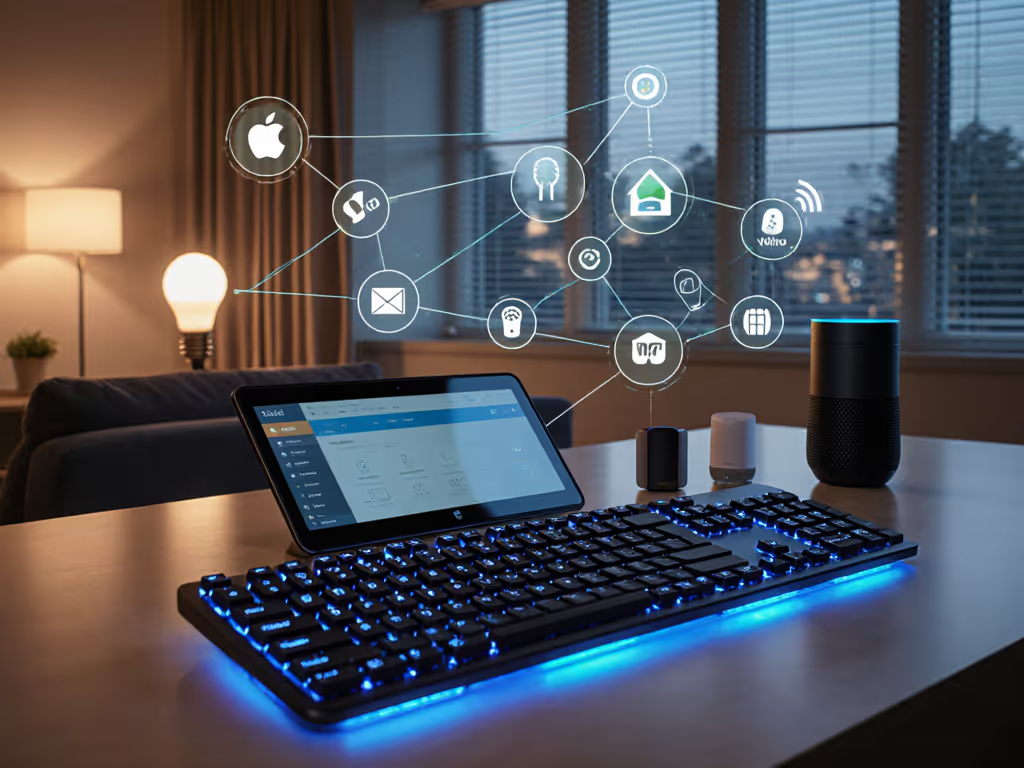
Matter protocol keyboards and smart home keyboard integration represent a fundamental shift in how wireless peripherals communicate with your connected home. Rather than juggling separate apps, fighting ecosystem lock-in, or resetting connections after idle periods, a Matter-certified keyboard becomes a reliable command center, one that plays nicely with Apple Home, Google Home, Amazon Alexa, and Samsung SmartThings simultaneously.
If you've experienced the friction of multi-device switching, latency spikes during critical work, or keyboards that take seconds to wake after sleep, you've felt the cost of fragmented wireless standards. Matter changes that calculus. This guide walks through the practical reality of Matter keyboards, answering the questions that keep pragmatic workers, coders, and remote professionals up at night.
What Is Matter, and Why Should My Keyboard Care?
Why does a keyboard need to know about smart homes?
At its core, Matter is a unified wireless standard designed to eliminate the chaos of proprietary protocols. Rather than your keyboard speaking only Bluetooth while your smart lights demand Zigbee and your thermostat insists on Z-Wave, Matter provides a common language. For keyboards specifically, this means programmable keys can trigger smart home scenes (turning off lights, adjusting thermostats, or locking doors) without requiring a bridge app, cloud dependency, or separate hub.
For remote workers and ergonomic-focused users especially, this compounds: fewer context switches, fewer apps to manage, and one fewer device demanding your attention. Comfort that disappears lets focus stay where it belongs.
How Does Matter Protocol Actually Work in a Keyboard?
What's the technical foundation?
Matter operates as an IP-based networking layer using Wi-Fi and Thread to enable direct, local communication between devices. A Matter-certified keyboard connects to your local Wi-Fi network (or Thread mesh) rather than relying on cloud services for core functions. This local-first design means your keyboard responds instantly and continues working even if your internet drops (a critical reliability check for anyone who's lost focus to a reconnection spinner).
The keyboard itself becomes a multi-admin control point. The same device can work simultaneously across Apple Home, Google Home, Alexa, and SmartThings without conflicts or re-pairing. No more choosing an ecosystem; your keyboard simply exists within all of them.
Practical Example: The Thirdreality MK1
The first Matter-certified keyboard on the market, the Thirdreality MK1, illustrates this elegantly. Twelve function keys (F1-F12) plus a dedicated Matter trigger key can be assigned to individual smart home devices or entire scenes. In Apple Home, a single F-key can execute different actions based on short press, long press, or double-tap (same key, context-aware behavior). Switch to Google Home or SmartThings, and the same hardware responds according to that platform's rules.
For a coder or remote worker who frequently context-switches between workspaces (office, home, café), this means your keyboard adapts to your environment without reconfiguration.
What About Cross-Platform Stability and Latency?
Will Matter certification guarantee lag-free typing and gaming?
Matter itself is not a real-time protocol; it's a communication layer. Latency depends on the underlying wireless medium (Wi-Fi, Thread, Bluetooth) and the keyboard's implementation. However, Matter-certified devices undergo rigorous testing for reliability, security, and consistent response times.
Critically, a Matter keyboard connects over your existing Wi-Fi infrastructure (most households already have robust networks), eliminating the pairing friction and random disconnects common with older Bluetooth-only designs. If your router is performant and your keyboard firmware is stable, you inherit that reliability. The decentralized mesh approach also means temporary signal loss from one device doesn't cascade (Matter's design prevents single points of failure).
For users tired of the "noticeable input lag when switching between 2.4 GHz dongle and Bluetooth" pain point, Matter keyboards that support both Wi-Fi and Thread offer a fallback: if Wi-Fi stutters in a crowded RF environment, Thread's mesh network provides an alternative path without re-pairing. If your workspace is dense with competing signals, see our RF congestion stability guide for practical fixes.
Will Matter Keyboards Play Nice With My Existing Smart Home?
What platforms already support Matter?
All major platforms do: Apple Home, Google Home, Amazon Alexa, Samsung SmartThings, and Home Assistant have already integrated Matter support via software update. You don't need new hardware hubs in most cases, since existing Apple HomePod Mini, Google Nest Hub, or Echo devices can serve as Matter bridges.
This eliminates the historical pain of device memory limits ("only 3 pairings available"). A Matter keyboard remembers configurations across all connected platforms, and re-pairing is as simple as scanning a QR code (a standardized process far simpler than manufacturer-specific pairing wizards).
What About Security and Privacy?
Is a keyboard that talks to my smart home a security risk?
Matter integrates robust encryption and device authentication; each device receives a unique certificate, and only verified devices can join your network. Communication happens locally by default, not routed through manufacturer cloud servers (a critical privacy advantage over older cloud-dependent keyboard software). For a deeper look at protection methods, read our wireless encryption deep dive.
For enterprise users concerned about smart home security protocols, Matter's standardized approach and local operation sidestep many vulnerabilities tied to proprietary firmware or unencrypted dongles. Your IT department can audit a Matter-certified device more easily than a closed-source Bluetooth peripheral.
How Do I Set Up a Matter Keyboard?
Is pairing actually simpler?
Yes. Matter setup follows a standardized process: scan a QR code or use NFC, and your phone walks you through pairing in the respective app (Apple Home, Google Home, or SmartThings). No driver downloads, no cloud logins (unless you want advanced features), and no firmware hassle.
Setup Checklist:
- Confirm your smart home hub supports Matter (HomePod Mini, Nest Hub, Echo with Matter support).
- Scan the QR code on your new Matter keyboard with your phone.
- Select which smart home platform(s) to pair with - you can add multiple simultaneously.
- Assign function keys to devices or scenes (this step is platform-specific, but the UI is consistent).
- Test wake/sleep and idle reconnection before relying on it during critical work.
What's the Battery Reality?
Will a Wi-Fi Matter keyboard drain faster than Bluetooth-only?
Wi-Fi does consume more power than low-energy Bluetooth, but Matter keyboards designed for productivity typically combine aggressive power management: auto-sleep after 5-10 minutes of idle, key-press wake, and selective polling. Real-world battery life depends heavily on backlight use (mechanical keyboards with RGB are particularly power-hungry). For realistic expectations across features and use cases, see our battery life guide.
For users accustomed to "spec-sheet battery claims that don't match real life," the Matter ecosystem's reliability checks mean firmware is typically audited for power efficiency. You'll see honest estimates more often than with proprietary designs. Still: test battery longevity in your own workflow before trusting it for a week-long work sprint.
Why Should Remote Workers Care About Matter Keyboards Specifically?
How does this solve my multi-device pain?
Remote and hybrid workers often juggle a work laptop, personal MacBook, iPad, and phone - each with different OS requirements and quirks. A Matter keyboard eliminates the "OS mismatch pain: Mac/Win/Linux modifier keys, function row behavior, and remaps that don't persist cross-platform" by anchoring to a common platform layer, not the OS.
More concretely: a Matter keyboard paired with your smart home hub can trigger global macros or scenes regardless of which device is active. Lock your door, dim your lights, and trigger a "Do Not Disturb" scene with a single key press - then switch laptops and the key still works. Comfort compounds when friction evaporates at scale.
What's the Catch? Limitations to Know
Where does Matter keyboard integration fall short?
Matter is still young (the latest spec is version 1.4, released in 2025). Keyboard support is nascent (the first widely available Matter keyboard emerged only recently). This means:
- Limited ergonomic options: Most Matter keyboards today follow standard layouts. Split, tented, or low-profile options are scarce, which matters enormously if you require ergonomic relief. If you need relief today, our best wireless ergonomic keyboards roundup highlights split and tented options.
- Key feature matrix: Not every Matter keyboard offers programmable layers, QMK/VIA support, or hot-swap switches, so customization depth varies.
- Travel durability: Portability trade-offs remain. A wireless Matter keyboard is lighter than wired, but you still carry a battery-powered device.
- Acoustic profiles: Quiet typing in a shared space requires deliberate switch choice; Matter certification doesn't guarantee a silent keyboard.
For ergonomic-focused users or those with specific comfort requirements, Matter keyboards will expand options significantly over the next 1-2 years, but today's selection remains modest.
Should You Adopt Matter Keyboards Now, or Wait?
Is the ecosystem mature enough?
If you already own a Matter-compatible smart home hub and value cross-platform smart home automation, a Matter keyboard is worth evaluating, especially if your pain points include multi-device friction or app bloat. The standardized pairing process and local-operation reliability are genuine improvements over older wireless peripherals.
If you're starting your smart home from scratch or prioritize ergonomics over automation, wait for a wider keyboard selection. Matter's momentum is strong (Google, Amazon, and Apple all actively develop Matter products), but the killer apps for Matter keyboards (split designs, low-force switches, travel-optimized builds) are still emerging.
Further Exploration
To deepen your understanding and make an informed decision:
- Test Matter setup in person if possible: hands-on experience with a hub and keyboard clarifies whether the pairing experience matches the promise.
- Review real-world latency and battery reports from field testers in your use case (remote work, gaming, coding). Spec sheets don't capture idle-wake lag or RF interference in your apartment.
- Map your current smart home to confirm which platforms you rely on and whether they all support Matter. If you're still on Zigbee-only devices, Matter keyboards won't unlock immediate value yet.
- Monitor keyboard announcements from major manufacturers over the next 12 months. Ergonomic options, gaming-grade builds, and travel-optimized designs are in development.
Matter keyboards represent a meaningful step toward the frictionless, cross-platform workflows remote workers and home automation enthusiasts have long sought. Start by confirming your ecosystem readiness and pain points, then decide if today's options match your needs or if waiting for a broader selection serves you better.
Related Articles