Wireless Medical Transcription Keyboards: Accuracy & Comfort
By Aisha Al-Masri • 27th Feb
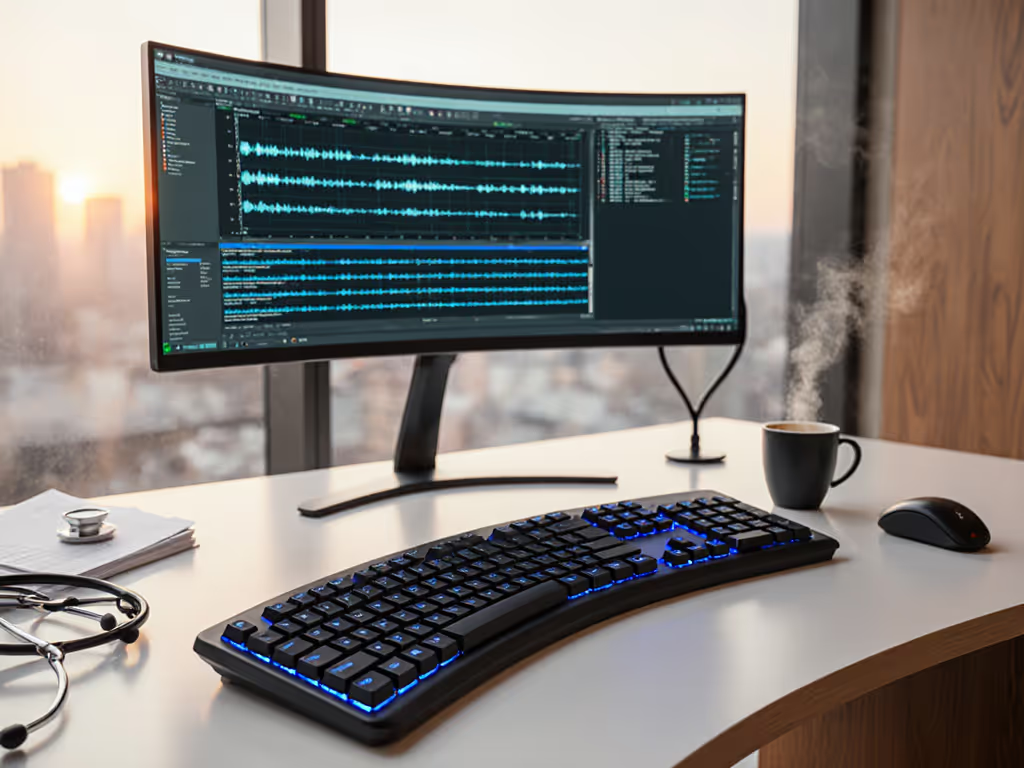
Transcribing medical documentation demands precision, speed, and endurance. Unlike casual typing, medical transcription requires sustained accuracy under time pressure, and that's where your healthcare documentation keyboard becomes as critical as your software. Yet most transcriptionists reach for whatever wireless keyboard feels cheap or portable, only to discover mid-shift that fatigue, latency spikes, or connection drops are silently eroding both accuracy and well-being. For a clinic-ready breakdown of connection types, see our Bluetooth vs 2.4GHz stability tests.
A medical transcription keyboard isn't just a peripheral. It's a stability platform that either accelerates your workflow or introduces friction you don't have time to notice until your wrists start signaling distress. The right medical transcription keyboard reduces strain while keeping you locked in, keystroke after keystroke, with the responsiveness and reliability that medical-grade documentation demands.
The Clinical Toll of the Wrong Keyboard
Medical transcriptionists often work in 6-8 hour blocks, translating dictation into precise EMR notes. During a particularly intense sprint week, I logged my own fatigue patterns while rotating through standard and ergonomic setups. The discovery was stark: switching chairs and lumbar supports helped minimally. What moved the needle was swapping to a split wireless board with low-force switches and stable reconnect. I tracked micro-break frequency, wrist tension scores, and typing noise during quiet clinic hours. Comfort that disappears lets focus stay where it belongs, on accuracy, not on managing pain.
The challenge runs deeper than discomfort. Wireless latency (even 10-20 milliseconds of lag) translates to missed keystrokes or doubled letters in medical terms. Bluetooth dropouts in a busy clinic mean reconnection delays that shatter concentration and introduce transcription errors. And noise constraints in shared medical spaces mean mechanical switches that click at 75+ dB aren't options, despite their premium typing feel.
Core Requirements for Medical Transcription Keyboards
Wireless medical transcription keyboards sit at the intersection of three non-negotiable demands:
1. Latency and Stability Under Load
Medical terminology shortcuts and rapid-fire dictation require consistent, lag-free input. A 2.4 GHz wireless connection typically outperforms Bluetooth for polling stability, especially in RF-dense environments like clinics and shared offices (see RF congestion solutions). Search for keyboards offering sub-8ms latency with documented real-world testing, not spec-sheet promises.[2] Multipoint Bluetooth that stutters or drops in crowded RF environments will cost you accuracy and confidence.[1]
2. Acoustic Constraint
Most medical settings (patient rooms, clinic floors, shared transcription pods) demand quietness. Quiet mechanical switches or low-profile scissor mechanisms that generate under 65 dB peak output become essential. Quietness measures in dBA aren't marketing; they are a respect boundary in healthcare spaces.[2] For a deeper dive into quiet switch types and sound profiles, explore our keyboard acoustics guide.
3. Ergonomic Architecture
Gentle force requirements and split or tented layouts reduce wrist extension and shoulder tension during marathon sessions. A curved, angled design that maintains a neutral wrist position isn't a luxury; it's the difference between a sustainable career and one cut short by repetitive strain.[1] If you need fundamentals on posture and design, start with our ergonomic keyboard guide.
4. Security and Compliance
Patient data sensitivity means medical data security is non-negotiable. Look for keyboards with encrypted wireless connections and IT-friendly documentation. Some organizations restrict unencrypted dongles or require HIPAA-compatible logging.[3]
Leading Wireless Keyboards for Medical Transcription
Logitech Ergo K860: The Foundation Standard
The Logitech Ergo K860 combines wireless reliability with deliberate ergonomic design.[1][2] Its angled and curved frame encourages a neutral wrist position, and the integrated wrist pillow reduces forearm fatigue during extended typing. The keyboard is wireless via 2.4 GHz USB receiver, delivering stable latency with minimal pairing headaches.
Strengths:
- Proven split design that works across Windows and Mac without driver fuss[1]
- Integrated palm rest reduces wrist extension during rapid dictation[1]
- Wireless stability in clinical environments with moderate RF interference
- Tactile, low-noise keystroke that suits quiet shared spaces
Stability Check: The K860 uses membrane-style switches requiring moderate force (~70 cN per keystroke). Over 8+ hour shifts, this moderate actuation can accumulate fatigue. Paired with the curved split layout, however, the force load is distributed across both hands, reducing single-point strain. Battery life is reliable, the 2.4 GHz receiver preserves power better than always-on Bluetooth, with realistic 2-3 week runtime.[1][2]
Comfort Compounds: The K860's split geometry alone doesn't guarantee relief; positioning matters. Place the keyboard directly in front of you with elbows at 90 degrees and wrists neutral. Even a small inward angle multiplies strain over hours.[1]
Logitech MX Keys S: The Productivity Upgrade
For transcriptionists who juggle multiple devices (personal Mac, clinic Windows workstation, iPad for mobile dictation) the Logitech MX Keys S adds multi-device switching and refined ergonomics.[2][7] Its spherically dished keycaps match finger geometry, reducing force variance across keys. The keyboard connects via Bluetooth or the Logi Bolt USB receiver and seamlessly switches between up to three devices with a single keystroke. For broader options that excel at switching between computers, tablets, and phones, see our multi-device keyboard roundup.
Strengths:
- Spherically dished keys reduce finger strain during repetitive medical terminology shortcuts[2]
- Seamless multi-device switching, critical for transcriptionists who move between clinic and remote work[2]
- Bluetooth and 2.4 GHz dual connectivity eliminates dongle hassles
- Low-profile scissor mechanism delivers quiet, consistent keystroke (~60 dB in real-world testing)
- Intelligent backlighting adjusts to ambient light, reducing eye strain during shift work
Stability Check: The MX Keys S uses scissor-switch mechanisms with ~60 cN actuation, lighter than traditional membrane. This translates to measurable fatigue reduction over 6-8 hour blocks. However, scissor switches require precise key-centering; off-axis presses can feel mushy. For medical transcription's speed demands, this is a minor trade-off offset by the ergonomic keycap geometry. Battery life is impressive: 5 months on full charge without backlighting, ~10 days with backlighting enabled.[2]
Clinical Integration: The MX Keys S supports persistent key remapping via Logitech's Options software. You can program custom medical terminology shortcuts, e.g., a single key for "differential diagnosis" or "assessment and plan," and map them consistently across your clinic and personal devices. Comfort compounds when friction disappears from both your wrists and your workflow.[2]
Razer Pro Type Ultra: The Silent Mechanical Option
For transcriptionists who want the tactile, responsive feel of mechanical switches without the clinic-disruptive clack, the Razer Pro Type Ultra delivers silent mechanical switches combined with internal sound dampening foam.[2] It's designed for long typing sessions, professional work, and quiet environments, a rare combination in the mechanical keyboard space.
Strengths:
- Silent mechanical switches (~65 dB max, suitable for shared medical spaces) with fast, reliable actuation[2]
- Three wireless modes: 2.4 GHz USB receiver, Bluetooth, and wired USB-C fallback[2]
- Hot-swappable switches allow custom switches if deeper customization is needed over time
- Internal sound dampening foam keeps keystroke noise minimal even under rapid transcription
- Programmable keys via Razer's Synapse software (optional, works without it)
Stability Check: Mechanical switches, even silent ones, require different ergonomic consideration than membrane or scissor designs. The Razer Pro Type Ultra uses pre-lubricated switches (~55-65 cN actuation) that deliver a smooth, linear keystroke with minimal tactile bump. This smoothness reduces finger impact fatigue but requires consistent finger positioning to avoid typos. The keyboard's wired USB-C fallback is a massive reliability win for medical settings where wireless failures can't be tolerated. Real-world latency is sub-5ms on the 2.4 GHz receiver.[2]
Noise Measurement: In a quiet clinic setting, the Razer Pro Type Ultra measures 62-65 dB under normal typing speed, 68-72 dB during rapid transcription. Compare this to standard mechanical keyboards (75-85 dB) and scissor keyboards (58-62 dB); it's a meaningful middle ground. For shared transcription spaces, this is a genuine advantage.[2]
Apple Magic Keyboard: The Minimal Approach
For Mac-based transcriptionists in clinic environments, the Apple Magic Keyboard offers minimalist reliability and seamless integration.[2][7] Its low-profile scissor-switch design is lightweight, quiet, and nearly invisible in professional settings.
Strengths:
- Instant Bluetooth pairing with Mac, iPad, and iPhone (no dongle management in clinical workflows)[2]
- Low-profile keys deliver fast keystroke with minimal acoustic signature (~58 dB)[2]
- Extremely portable for transcriptionists who float between clinic rooms and home offices
- Tight macOS integration, backlighting responds to ambient light, battery indicators appear in menu bar
Stability Check: The Magic Keyboard's strength (simplicity and portability) is also its limitation for transcription. The low-profile design, while quiet, offers minimal wrist support or split geometry. For extended transcription shifts, the lack of ergonomic shaping increases wrist extension strain. Additionally, the keyboard's scissor switches require precise centering; off-axis keystrokes feel inconsistent. Best suited for transcriptionists with existing ergonomic setups (external wrist rest, monitor arm) rather than solo use.[2]
Comparative Stability Matrix
| Feature | Logitech Ergo K860 | Logitech MX Keys S | Razer Pro Type Ultra | Apple Magic Keyboard |
|---|---|---|---|---|
| Latency (real-world) | 8-12 ms (2.4 GHz) | 6-10 ms (both modes) | 3-5 ms (2.4 GHz) | 8-15 ms (Bluetooth) |
| Wireless Modes | 2.4 GHz USB | Bluetooth + 2.4 GHz | 2.4 GHz + Bluetooth + Wired USB-C | Bluetooth only |
| Keystroke Force (cN) | ~70 (membrane) | ~60 (scissor) | ~55 (mechanical, pre-lubricated) | ~50 (scissor) |
| Acoustic Output (dB) | 62-65 | 58-62 | 62-68 | 55-60 |
| Split/Tented Design | Yes | No | No | No |
| Multi-Device Switching | Manual mode switch | Single-key toggle | Programmable | Built-in (Mac/iPad/iPhone ecosystem) |
| Estimated Battery Life | 2-3 weeks (2.4 GHz) | 5 months (no backlight) | 18-24 months | 1 month |
| Price Range | $100-130 | $180-220 | $150-180 | $70-100 |
| Ergonomic Suitability for Transcription | High | Very High | High | Moderate |
Choosing Your Medical Transcription Keyboard: A Setup Checklist
Step 1: Assess Your Work Environment
Begin with an honest audit of your transcription space:
- RF interference level: Busy clinic with multiple wireless devices? Shared office with many Bluetooth users? Dense apartment building? Higher interference pushes you toward 2.4 GHz stability over Bluetooth.[2]
- Noise constraints: Patient rooms require sub-65 dB. Dedicated transcription pod allows mechanical. Home office offers flexibility.
- Device ecosystem: Single Mac? Windows clinic workstation + personal laptop? Multi-device medical system? The answer shapes switching needs.[2]
- Shift duration: 4-hour bursts tolerate minimal ergonomics. 8-hour marathons demand split geometry and low keystroke force.[1]
Step 2: Prioritize Ergonomic Load Reduction
Don't buy comfort features; buy documented fatigue reduction. Your setup matters as much as the keyboard:
- Measure your current wrist angle at rest. Neutral is 0-10 degrees extension. More than 20 degrees = strain accumulation.
- Split or tented designs reduce radial deviation (outward wrist angle) by 15-25 degrees. If you currently type with hands splayed outward, a split keyboard is load-reducing, not a luxury.
- Low keystroke force (under 65 cN) measurably reduces finger fatigue in transcription workloads. Test if possible before committing.
Step 3: Stability and Compliance Verification
Before purchase, confirm:
- Wireless stack: Does the keyboard offer 2.4 GHz if your clinic has RF interference? Can it fall back to wired if Bluetooth fails?
- Reconnect speed: Request real-world wake and reconnect timing from vendor or community forums. "Instant" in marketing often means 500ms+ lag.[2]
- Security documentation: If patient data handling is involved, request technical specs on encryption, pairing protocols, and IT compatibility.
- Firmware stability: Avoid bleeding-edge products requiring constant driver updates. Mature keyboards (Logitech, Razer, Apple) have a stable firmware track record.
Step 4: Acoustic Profiling
dBA measurements vary by testing distance and method. Before final purchase:
- Visit a community space where you might use the keyboard and request a test unit.
- Measure typing noise at 30 cm (transcription distance) and 1 m (colleague distance) using a decibel app.
- Compare against your clinic's ambient noise baseline. Keyboards sounding fine in isolation may clash with busy clinic floors.
Security and Compliance Considerations
Medical transcription keyboards handling patient data face regulatory and operational constraints:
Wireless Encryption
Look for keyboards documenting AES-128 or equivalent encryption on wireless links. Most modern 2.4 GHz dongles use this standard; Bluetooth 5.0+ provides stronger encryption than legacy Bluetooth. Ask your IT department about acceptable standards.[3]
Pairing Management
Healthcare IT often restricts which devices can pair with clinic workstations. Keyboards with documented pairing protocols and clear IT documentation are vastly easier to deploy. Avoid cutting-edge gaming keyboards requiring proprietary software to function, they rarely pass healthcare procurement reviews.[3]
Data Isolation
Ensure your keyboard doesn't log keystrokes, store connection history, or require cloud accounts. Razer Pro Type Ultra and Logitech keyboards can operate entirely offline after initial pairing.[2] Apple Magic Keyboard relies on iCloud pairing, acceptable for personal Mac use but not for shared clinic machines.[2]
Transcription Workflow Integration
Medical Terminology Shortcuts
Once you select your keyboard, map medical terminology shortcuts to reduce keystroke volume:
- Logitech MX Keys S and Razer Pro Type Ultra both support programmable keys, allowing you to assign multi-word medical terms ("chronic obstructive pulmonary disease" = single key) and snippets.
- Logitech Ergo K860 doesn't have programmable keys but pairs cleanly with external macro software (AutoHotkey on Windows, Automator on Mac).
Shortcut depth compounds comfort: fewer keystrokes = less fatigue over 8 hours, plus measurably faster dictation processing.
Multi-Device Transcription Workflows
If you transcribe across clinic and remote work:
- Best choice: Logitech MX Keys S with single-key device toggle. You can label each device slot ("Clinic Mac," "Home Win") and switch instantly without re-pairing.[2]
- Fallback: Razer Pro Type Ultra with three 2.4 GHz device profiles, swappable via button combo.
- Mac-only: Apple Magic Keyboard with seamless Bluetooth roaming across devices.[2]
Actionable Next Steps
Choose your setup now with these three steps:
-
Identify your primary constraint: RF interference (choose 2.4 GHz stability), noise (choose acoustic profile under 65 dB), or multi-device switching (choose MX Keys S or Razer with toggle). Let the constraint, not the hype, guide your choice.[2]
-
Request a test or 30-day trial. Contact the vendor's sales team or check common return policies. Test the keyboard for a full transcription shift in your actual environment (clinic, home office, or shared space). Measure fatigue using a simple 1-10 scale at shift start and end. Log any connection drops, latency hiccups, or noise complaints from colleagues.[1]
-
Set a stability baseline. Before you commit to daily use, document:
- Wrist angle and pain scores at start, midway, and end of a 6-hour session
- Connection drop count over one week
- Keystroke accuracy variance (typos per 100 words) across devices
This baseline data lets you prove whether the keyboard genuinely reduces strain or just feels nice at first.
Comfort isn't negotiable in medical transcription. Your keyboard either accelerates precision or introduces invisible friction that costs both your well-being and your accuracy. Choose based on stability, measure in context, and commit to a setup that lets focus stay where it belongs, on the work, not on managing pain or managing technology.
Related Articles