Premium Wireless Keyboards: Marble & Resin Designs
By Aisha Al-Masri • 15th Feb
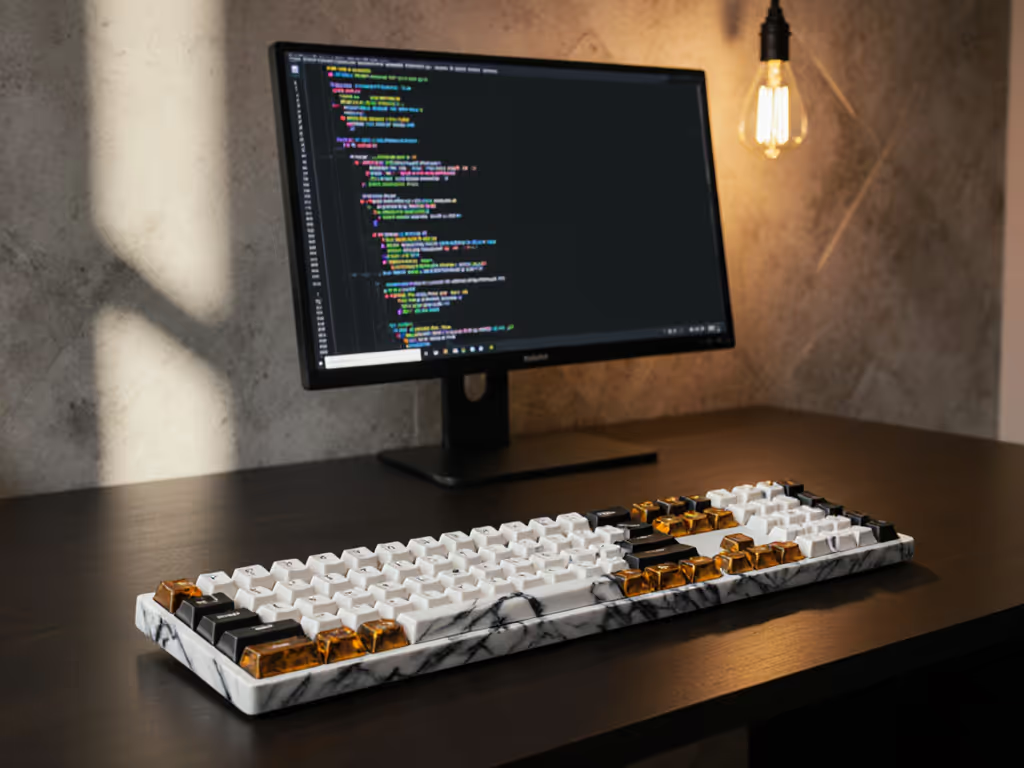
Luxury material keyboards have moved beyond novelty into genuinely considered territory, and premium wireless designs now pair marble, resin, and concrete casings with Hall Effect magnetic switches and high-polling connectivity. Yet aesthetics alone don't justify the price tag. What matters is whether these precision-engineered boards eliminate the friction that interrupts focus. This guide examines the hardware, stability, and real-world performance of today's most ambitious artisanal keyboard craftsmanship, helping you decide if material luxury aligns with the reliability your workflow demands.
The Appeal of Luxury Material Keyboards
When keyboard makers reach for marble, resin, and concrete, they're not simply chasing Instagram moments. These materials solve specific acoustic and structural problems that plastic and aluminum alone cannot.
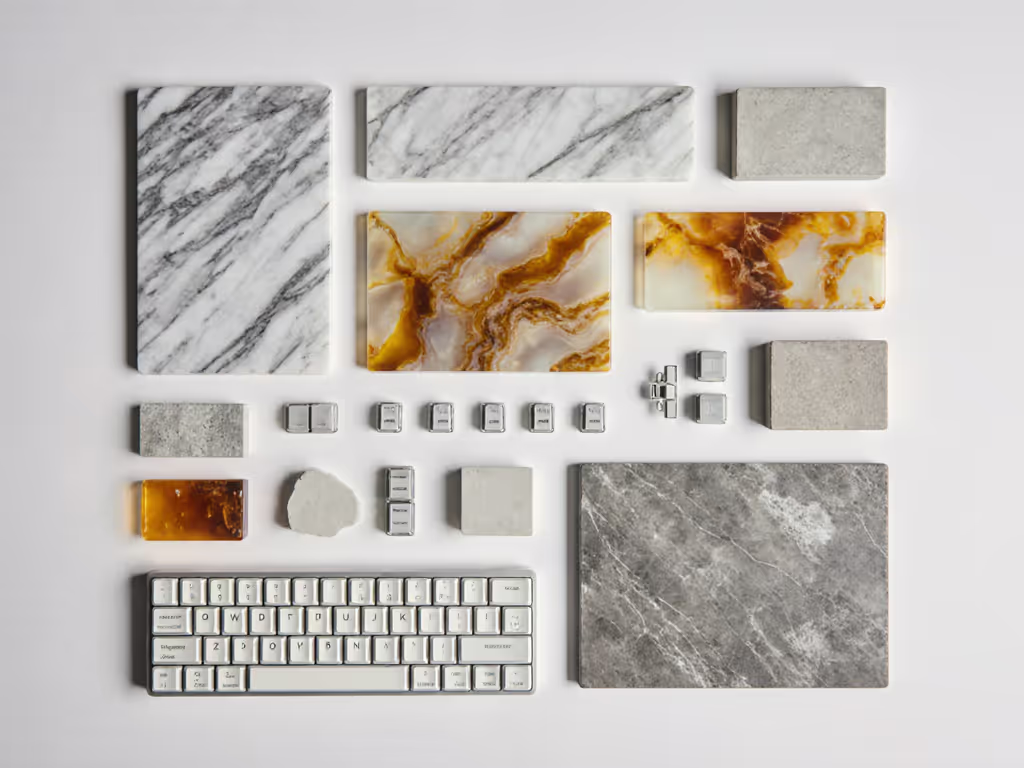
Marble and concrete are naturally dense and inert, so they dampen vibration without added foam or silicone layers. A marble or concrete keyboard case doesn't resonate; it absorbs. Resin, meanwhile, allows artisanal makers to embed aesthetic elements (wood flakes, colored layers, metallic accents) while maintaining structural rigidity. The net result is a typing experience that feels fundamentally different from mass-produced alternatives.
The trade-off is immediate: weight. A marble keyboard can exceed 3 kg (6.6 lbs), making portability a non-starter. But for desk-anchored work (remote roles, coding sprints, esports training), that density translates to a planted, immobile platform. Micro-movements stop. Your hands anchor. Small changes, big relief.
Beyond material, these boards integrate Hall Effect magnetic switches and 8K polling rates, technologies increasingly common in the wireless premium segment. The combination sends a clear message: luxury materials pair with luxury electronics.
Keychron's Ceramic and Marble Flagship: The Q16 HE 8K
Keychron unveiled its most audacious offering at CES 2026: the Q16 HE 8K ceramic and marble 65% board, arriving April 2026. This is not an aesthetic experiment. The keycaps are polished ceramic, the same material used in high-end kitchen and bathroom fixtures. The body is real marble, sliced and finished to tolerances typically reserved for architectural surfaces.
At the hardware level, Keychron installed its flagship Ultra-fast Lime magnetic switches with Tunnel Magnetoresistance (TMR) sensors and per-key adjustable actuation. Translation: you can dial each key's trigger point individually, a feature typically locked behind gaming-grade firmware. With 8K polling and magnetic sensing, latency sits in the sub-1 ms range, suitable for competitive play while maintaining stability for writing.
The ceramic keycaps deliver an unconventional feel. Standard PBT or ABS plastic offers tactile feedback through texture; ceramic is smooth, almost frictionless. Your fingertip glides without catching. For typists who value consistency, that smoothness is a feature. For those seeking satisfying micro-friction, it may feel alien at first.
Weight and portability are non-issues here. This board is a permanent desk resident. The ceramic and marble construction guarantees a thocc-forward typing sound profile, a term that describes a deep, woody resonance prized by enthusiast communities. Keychron's samples at CES demonstrated that character, though acoustic impressions varied due to booth interference.
Build stability checkpoint: The marble base provides zero flex. No gasket mounting required; the material's density is the mount. Keychron uses a 65% layout (no numpad), reducing key travel variations and improving consistency across the board.
The Marble Lineup: Q1 HE 8K and Multi-Device Strategy
Keychron is rolling out additional marble variants in 2026. The Q1 HE 8K Marble Version launches April 2026 as a 75% layout with Hall Effect magnetic switches and 8K polling. Unlike the ceramic flagship, the Q1's keycaps are standard PBT, confirming that ceramic treatment is reserved for the ceramic-exclusive model.
For users juggling multiple devices (work laptop, personal machine, tablet, phone), multi-device connectivity becomes critical. A marble keyboard sitting between two displays needs seamless device toggling. Keychron's wireless stack (2.4 GHz via USB-C dongle plus Bluetooth) is complemented by wired fallback if RF interference strikes. If you're unsure which mode to rely on, see our Bluetooth vs 2.4GHz keyboards tested for real-world stability.
However, reality check: marble's weight makes it unsuitable for travel or hot-desking. If you're moving between office pods or coffee shops daily, a 3+ kg keyboard becomes a liability, not a luxury. Reserve marble for permanent stations where connectivity predictability matters more than portability.
Battery life note: Marble keyboards draw from standard lithium cells (typically 3000-4000 mAh). Keychron's wireless Q-series boards deliver 600+ hours without backlighting, and 100-200 hours with full RGB enabled. At a permanent desk, battery anxiety disappears entirely. You charge once every 4-6 weeks with moderate use.
Resin and Concrete: Alternative Material Engineering
Keychron also debuted resin and concrete editions in February 2026. The K2 HE Resin and K2 HE Concrete are 75% layouts with Hall Effect switches and dual wireless (2.4 GHz + Bluetooth).
Resin allows makers to embed visual layers, wood grain, metallics, custom colors, within a translucent or opaque shell. Structurally, resin is lighter than marble (1-2 kg range) while remaining rigid. Typing feedback is closer to aluminum than stone, a mid-ground between responsiveness and damping.
Concrete, conversely, is unforgiving. It absorbs vibration even more aggressively than marble because its crystalline matrix is less uniform. Concrete boards generate a distinctly muted, almost thud-like sound. For open-office environments or shared spaces, that quietness is valuable. For enthusiasts craving thocc and resonance, concrete may feel too suppressed.
Key concern: concrete and resin's moisture sensitivity. Neither material should be exposed to liquids or high humidity without protective sealant. A spilled coffee near a concrete keyboard is a genuine disaster. If your desk environment includes frequent beverages or high ambient humidity (tropical climates), opt for sealed resin or stick with traditional materials.
Comparison table: Material Acoustic and Structural Profile
| Material | Weight | Damping | Thocc Potential | Travel Suitability | Durability vs. Moisture |
|---|---|---|---|---|---|
| Marble | 3+ kg | Extreme | High | Poor | Moderate (sealed well) |
| Ceramic (keycaps) | Varies by board | Moderate | Moderate | N/A (component) | High (impervious) |
| Resin | 1.5-2 kg | Moderate-High | Moderate | Fair | Fair (sealant dependent) |
| Concrete | 2-3 kg | Very High | Low-Moderate | Poor | Low (porous) |
Hall Effect Magnetic Switches: The Stability Foundation
All premium Keychron boards mentioned here use Hall Effect magnetic sensors, not mechanical contacts. The difference is decisive.
Mechanical switches house a stem and two metal contacts; when you press the stem, it closes the circuit. Over millions of keypresses, contact oxidation or wear can cause missed inputs, double-registers, or mushy feel. Hall Effect switches measure magnetic field distance, no physical contact required. Result: zero wear, zero contact degradation, and adjustable per-key actuation without firmware complexity.
For remote workers and coders facing 8+ hour typing marathons, Hall Effect eliminates one major fatigue vector: uncertainty. You don't wonder if your keystroke registered. The magnetic sensor reports position 1000 times per second (at 1000 Hz polling) and triggers the virtual key at your set threshold. Consistency breeds confidence.
In gaming contexts, Hall Effect shines further. Valorant, Counter-Strike 2, and arena shooters reward snap reaction times. Magnetic actuation cuts latency variation, the jitter that makes aiming inconsistent. One content creator noted measurable improvement in strafing accuracy when switching from mechanical to Hall Effect in competitive play.
Quiet-operation note: Hall Effect switches are inherently quieter than mechanical ones because there's no metallic contact snap. Keychron's Silk POM switches, the material choice in the Q6 Ultra, combine this quietness with a richer sound profile via acoustic damping and gasket mounting. For shared offices or late-night sessions, this matters immensely.
Connectivity, Polling, and Real-World Stability
A marble keyboard sitting on your desk is worthless if it drops connection every 30 seconds. Keychron's Q-series integrates 8K polling (8000 Hz USB report rate) and 2.4 GHz + Bluetooth dual stack.
8K polling means your computer receives input reports 8 times per millisecond. To understand how polling and latency shape feel, see keyboard latency explained. Standard boards send 1000 Hz (1 ms intervals). At first glance, that's 8x more granular. In practice, 8K matters most in esports and rhythm games, where frame-perfect input windows are microseconds wide. For writing, coding, or general productivity, 1000 Hz suffices, but 8K offers headroom and future-proofs your board if you ever game seriously.
The 2.4 GHz connection uses a USB-C dongle, similar to gaming mice. 2.4 GHz is less susceptible to interference than Bluetooth and offers lower latency (~1-3 ms). Bluetooth backups handle mobile and iPad connectivity, critical for digital nomads or multi-device users.
Stability checkpoint: A video reviewer tested the Keychron Q6 HE Wireless in a crowded RF environment (apartment with Wi-Fi, neighbors' networks, Bluetooth speakers) and reported zero dropouts over 2+ weeks of daily use. That empirical validation is what matters. Spec sheets don't reveal resilience; field testing does.
One caveat: marble and concrete keyboards are exclusively desk-bound, so you won't test them in cafes or co-working spaces with the same RF chaos. If portability is part of your workflow, a lighter resin or traditional aluminum board might be pragmatic, even if it sacrifices that structural damping.
Battery Claims vs. Real-World Runtime
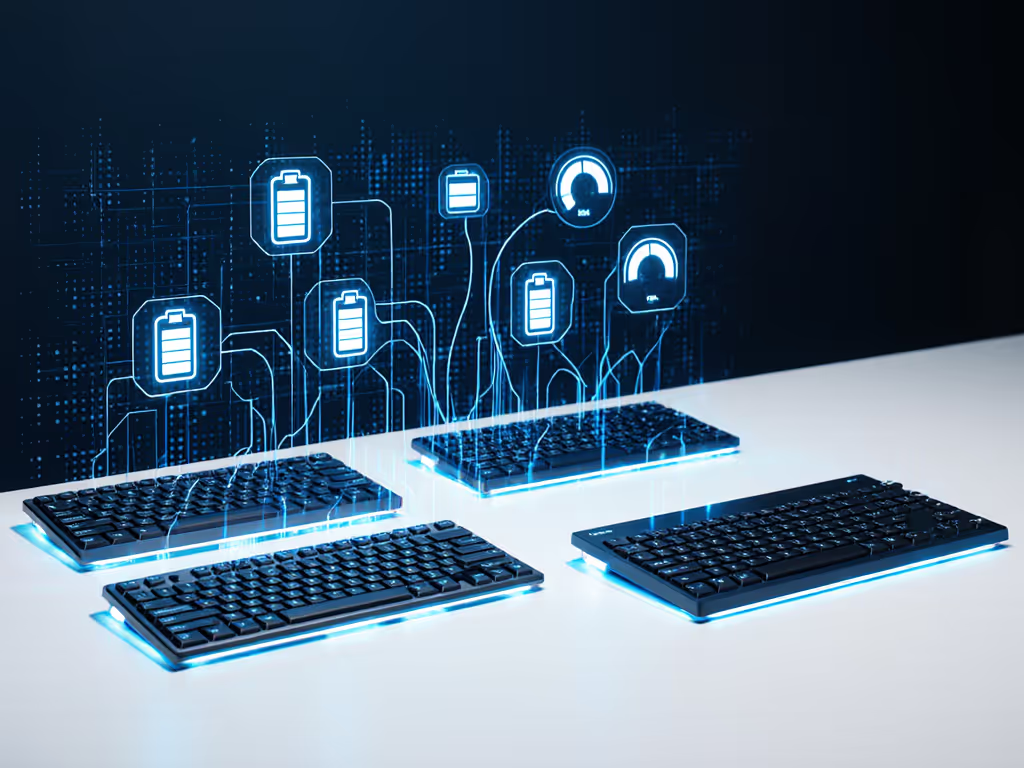
Keychron publishes impressive battery figures: 600+ hours for Q-series boards without RGB, 100-200 hours with RGB maxed. For context on what actually affects runtime, read our battery life guide with measured results. How does that translate to actual usage?
A typical work day is 8-10 hours. At 600 hours, you're looking at 60-75 days (2+ months) between charges if typing the entire time. With standby, actual runtime extends to 3-4 months. That's credible and aligns with community reports.
However, a few variables shift that estimate:
- Backlighting burden: RGB backlighting drains batteries 5-10 times faster. If you enable per-key RGB, budget for weekly or bi-weekly charging.
- Polling rate: Running 8K polling over Bluetooth drains faster than 1000 Hz polling, though the difference is modest (~10% battery hit).
- Multi-device switching: Frequent toggling between 2.4 GHz and Bluetooth adds connection overhead. If you stick to one device, battery lasts longer.
For a permanent desk setup with backlighting off or minimal (say, a simple underglow), Keychron's 600-hour claim is realistic. For hybrid users constantly switching devices and running RGB, budget for monthly charging.
Sound Profile and Acoustic Tuning
Marble and concrete keyboards prioritize sound quality because their material density allows builders to engineer acoustic curves instead of relying on foam and gasket dampening alone.
The thocc sound (a deep, woody resonance) is prized by typing enthusiasts and content creators. Dive deeper into sound profiles with our keyboard acoustics guide. It signals quality and craftsmanship to the ear, even if it doesn't alter typing speed or accuracy. For remote workers on video calls, thocc also projects confidence and focus; a mushy or thin-sounding keyboard can read as cheap or distracting to listeners.
Keychron's ceramic and marble flagship targets the thocc extreme: polished ceramic keycaps, marble body, Lime magnetic switches, and likely a layered case design tuned for resonance. Early impressions from CES suggested a satisfying acoustic profile, though exact dBA (decibel) measurements weren't published.
In contrast, concrete and resin versions damp sound more aggressively. Concrete's porous structure absorbs high frequencies, muting the thocc. The result is a quieter board, ideal for open offices, shared apartments, or night shifts, but less sonically interesting for typists who value acoustic feedback.
Noise consideration: If you work in a noise-sensitive environment (libraries, shared desks, quiet offices), choose concrete or heavily gasket-dampened resin. If you're in a private office and want acoustic pleasure from your workspace, marble or ceramic-keycap boards deliver.
Artisanal Craftsmanship vs. Mass Production
Luxury material keyboards walk a fine line. They celebrate handcrafted aesthetics while shipping in volumes large enough to justify inventory and logistics. Keychron is not a boutique maker assembling boards by hand; it's a scaled manufacturer with CES booth space and announced April launch windows.
That doesn't diminish the craftsmanship. Marble and ceramic require precision tolerancing, quality control, and material sourcing that budget keyboards skip. But it does mean these boards are aspirationally artisanal rather than truly bespoke. If you need one-of-a-kind personalization, custom hobby builders and art-house makers (outside the mainstream wireless space) offer deeper customization at higher premiums and longer lead times.
For mainstream users seeking premium aesthetics with reliable tech backing, Keychron's 2026 marble and resin lineup represents genuine progress. You're buying a finished, tested, warranty-backed product, not a pre-order or Kickstarter gamble.
Build Quality and Stability Checklist
Before committing to a luxury material keyboard, verify these stability markers:
- Case material verification: Confirm that the base is actual marble, concrete, or resin, not a veneer or hybrid construction. Ask the maker directly; spec sheets sometimes obscure this.
- Keycap attachment security: On ceramic or resin boards, confirm that keycaps are securely mounted and won't crack under normal finger pressure. Ceramic is brittle; quality assurance is critical.
- Wireless stack testing: Request or watch video reviews of the board under real RF interference (office, apartment, crowded spaces). Zero dropouts in lab conditions mean nothing if your home office has five Wi-Fi networks nearby.
- Battery runtime validation: Look for field-tested runtime, not just spec-sheet claims. Community forums and long-term review videos reveal honest battery life.
- Acoustic profile clarity: If thocc or quietness matters to your use case, seek video reviews with dBA measurements or audio samples. Acoustic preference is subjective; let yourself hear it first.
- Multi-device switching ease: Test how quickly the board toggles between 2.4 GHz and Bluetooth, and whether device memory slots are labeled clearly. Unlabeled switching is friction you don't want.
Who Should Choose Luxury Material Keyboards?
These boards are not for everyone, and that's okay.
Ideal candidates:
- Permanent desk residents (remote workers, content creators, esports trainers) who value a planted, immobile board and won't carry it between rooms.
- Acoustic enthusiasts who get tangible pleasure from typing sound and feel, viewing the keyboard as part of their environment's sensory texture.
- Multi-device professionals who need wireless reliability in complex RF environments and are willing to invest in proven connectivity.
- Minimalists with specific ergonomic needs who've ruled out split or tented layouts and want a single, consolidated board that feels premium in hand and foot.
Poor fits:
- Digital nomads and travelers for whom 3+ kg and fragile materials are liabilities.
- Laptop users in shared spaces who need portability and don't have a dedicated desk.
- IT-restricted environments where USB-C dongles face approval hurdles or encryption mandates.
- Budget-conscious buyers who can achieve 95% of the performance with aluminum or plastic boards at half the price.
Comfort that disappears lets focus stay where it belongs, and a keyboard that feels like a permanent, trusted fixture of your workspace achieves that. Luxury materials are a tool to that end, not an end in themselves.
Actionable Next Steps
If you're considering a premium wireless keyboard with luxury materials, follow this sequence:
- Clarify your use case: Permanent desk setup or multi-location work? Office, home, or gaming focus? RF interference risk in your environment?
- Watch field-tested video reviews of the specific model you're eyeing. Look for acoustic samples, multi-device switching demonstrations, and battery runtime over days or weeks, not spec-sheet projections.
- Verify the material authenticity by contacting the maker directly. Ask whether the base is solid marble/concrete or a hybrid. Request sample images or CAD specs if available.
- Test connectivity in your actual environment if possible. Many retailers offer return windows; use them to verify that 2.4 GHz + Bluetooth stack performs reliably in your home or office RF landscape.
- Benchmark against mid-range alternatives: Compare a luxury marble board to a Keychron V5 Max or Razer Pro Type Ultra (traditional materials, tested stability, lower price). Ask yourself whether the material upgrade justifies the 2-3x cost multiplier.
- Commit to a charging routine: Luxury wireless boards are a long-term investment. Set a monthly charging calendar reminder, keep the USB-C cable accessible, and monitor battery health via firmware diagnostics if available.
- Engage the community: Join keyboard hobby forums, subreddits (r/mechanicalkeyboards), and Discord servers. Ask real users about marble or resin board ownership, durability lessons, and long-term satisfaction. Peer experience often reveals truths marketing doesn't.
Luxury material keyboards represent the intersection of craftsmanship, stability, and aesthetic commitment. They're not impulse purchases, but when they're the right fit, they reward daily with a sense of solidity and purpose. Small changes (the weight of marble on your desk, the smoothness of ceramic keys under your fingers, the muted depth of a concrete-damped thocc) compound into a workspace that feels genuinely yours. Small changes, big relief.
Related Articles